OpenAI recently announced its Codex Micro "agent controller," a macro pad with a couple of nice tactile widgets.
My first reaction was "okay, that's a pretty cool toy." I've been leaning more heavily towards dictation myself (thanks to Handy), and I could see the appeal of dictation + a few more pre-configured actions. I like to kick back in my chair and prop my feet up, and having something I can hold while reclining, standing, or pacing would be cool.
Then I realized that I do have something like that!
I borrowed one of the Luna game controllers we use for our Steam Deck, connected it to my Macbook over Bluetooth, and found ControllerKeys to set up a custom mapping.
The mapping is still evolving, but right now I have three layers: a base layer; an Aerospace layer (left trigger); and a Codex layer (right trigger).
Base Layer
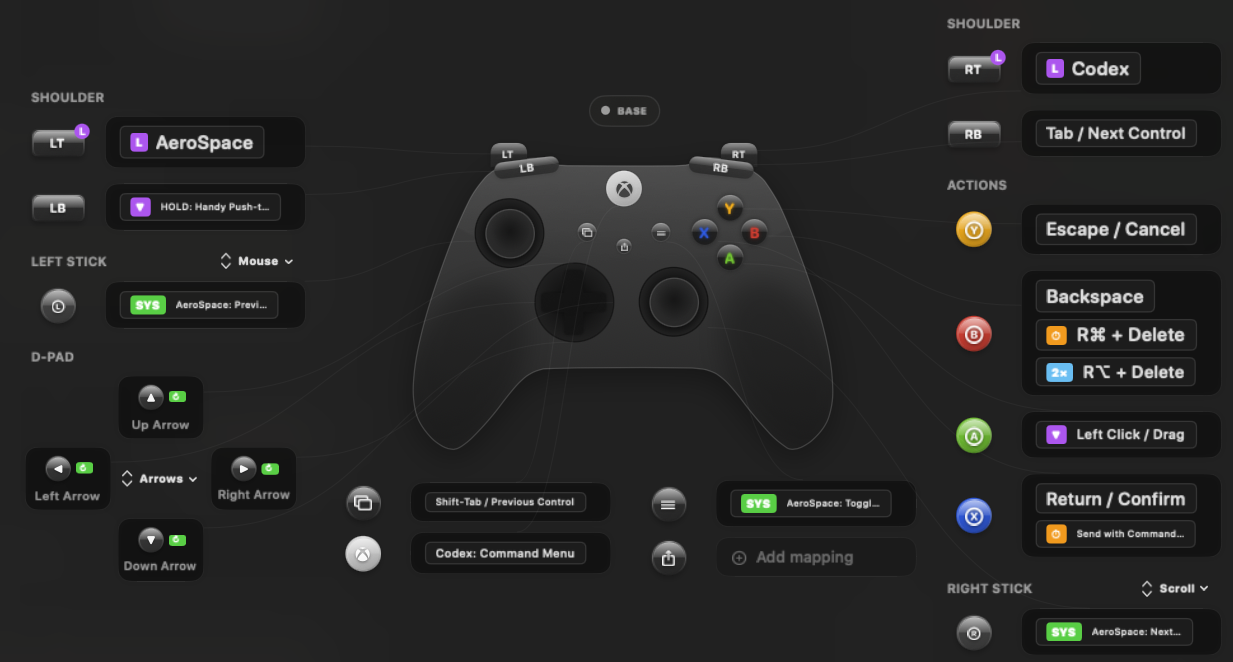
The d-pad maps to arrow keys; the left thumb stick controls the cursor, and the right stick scrolls. The A/B/X/Y buttons map to common ui-driving actions (left click, backspace, return, escape). And, of course, the left bumper is the dictation key.
Aerospace Layer
I use Aerospace as a window manager on Mac.
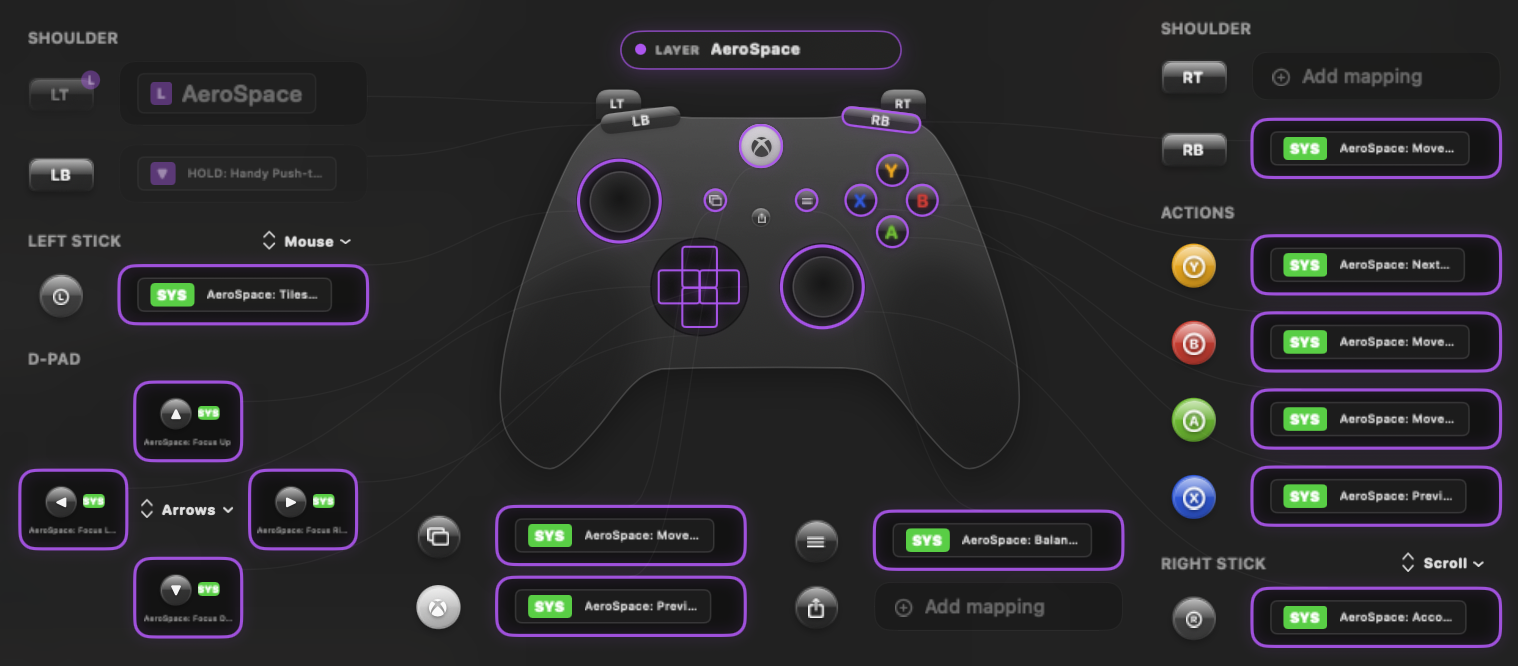
The d-pad lets me switch windows within a workspace; X/Y switches workspaces, and A/B moves windows to another workspace. I can switch between tiling and accordion mode by clicking the left and right sticks.
Codex Layer
I use the Codex desktop client, not the TUI.
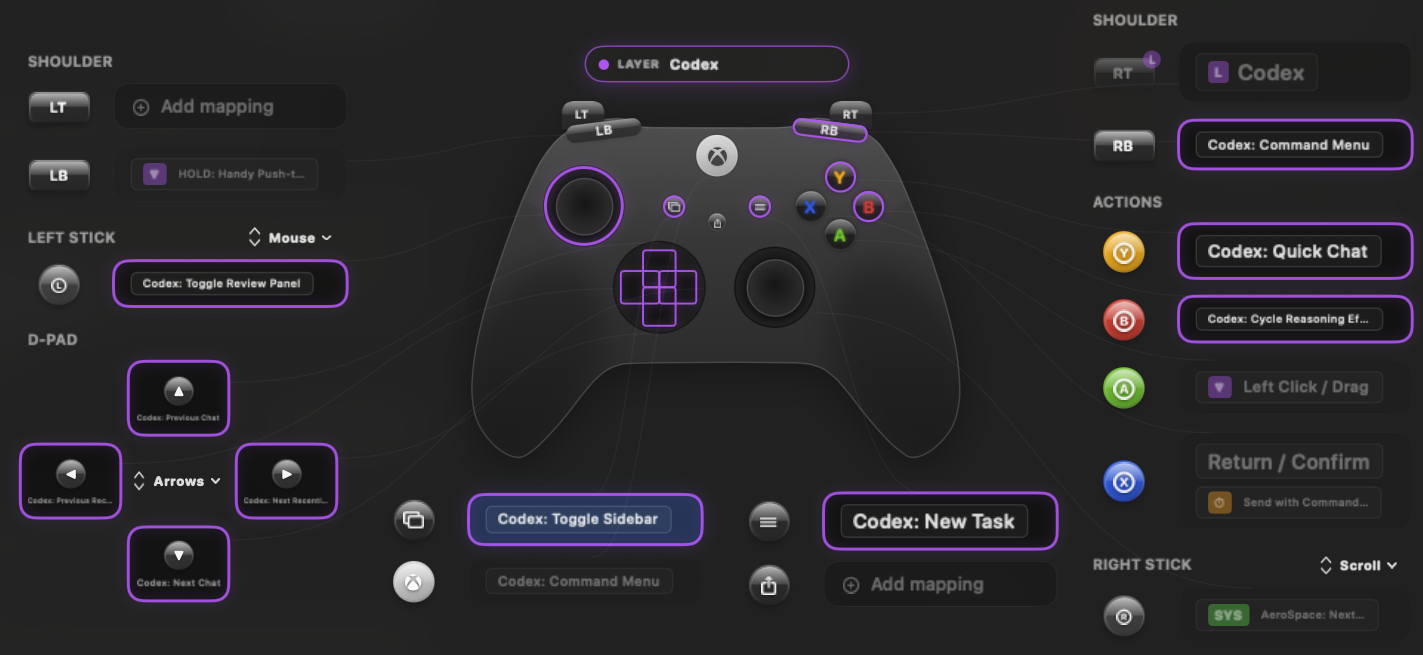
These special controls are more sparse because most of the work (dictation, submit, etc.) happens on the base layer. The d-pad switches between chats (up/down in the list or back and forth be recency), and there are a couple quick keys for changing reasoning level and opening a quick chat.
There's still some duplication and unused real estate, so plenty of room to grow as I refine this.
What unconventional inputs are you experimenting with?